 Iktiup Mahmud
· 5 min read
Background jobs: BullMQ vs RabbitMQ - when to use which
Both move work out of the request path, but they solve different problems. A practical comparison with code, and the rule of thumb I use to choose.
- #bullmq
- #rabbitmq
- #redis
- #nodejs
- #architecture
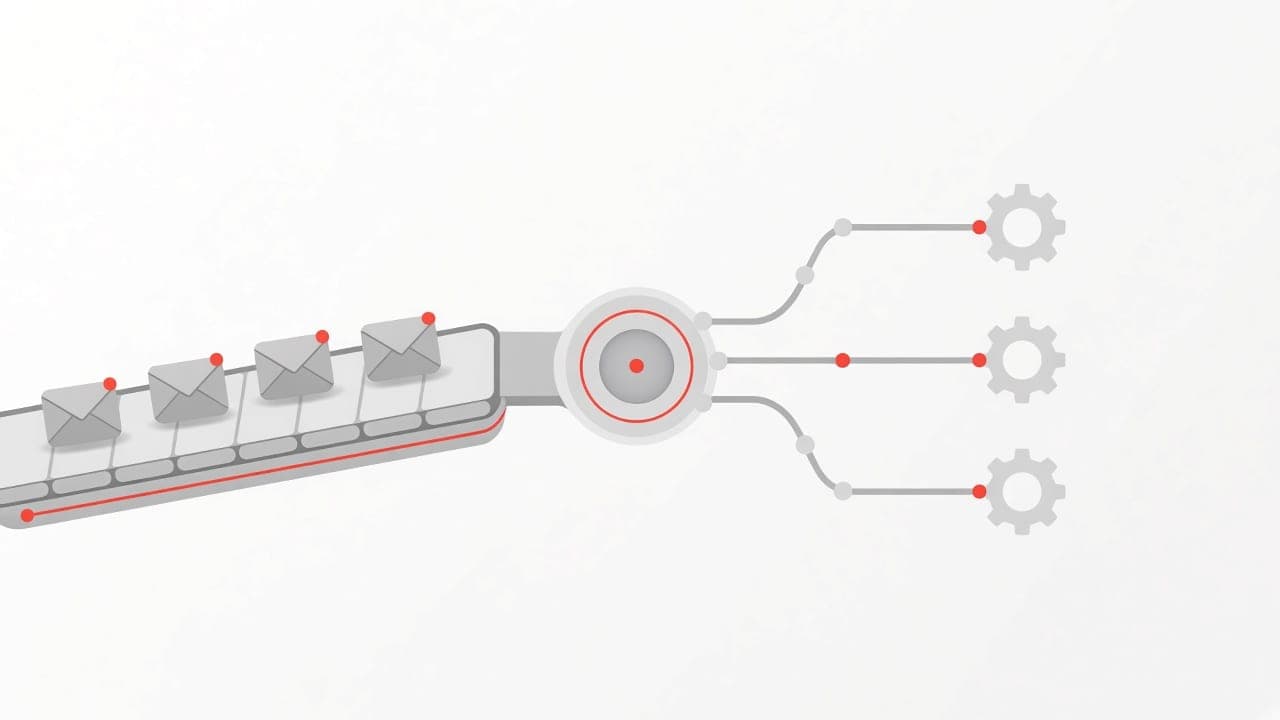
Sooner or later, every backend has work that shouldn't happen inside an HTTP request: sending emails, resizing images, generating PDFs, calling slow third-party APIs, syncing data between services. The user shouldn't wait for it, and a failure shouldn't turn into a 500.
The answer is to hand that work to something else. In the Node.js world, the two tools I reach for are BullMQ and RabbitMQ. They're often compared as if they were interchangeable. They aren't - and picking the wrong one makes life harder than it needs to be.
The short version
 BullMQ distributes jobs to workers; RabbitMQ routes events to many queues
- BullMQ is a job queue. "Please do this task, exactly once, retry it if it fails, maybe later." It's a Node.js library that stores its state in Redis.
- RabbitMQ is a message broker. "This happened - whoever cares, react to it." It's a standalone server that routes messages between services written in any language.
BullMQ: jobs with batteries included
BullMQ gives you everything a task queue needs out of the box: retries with backoff, delayed jobs, cron-style repeat schedules, priorities, rate limiting, concurrency control, and parent-child job flows.
import { Queue } from 'bullmq';

const connection = { host: 'localhost', port: 6379 };
export const emailQueue = new Queue('email', { connection });

// In a request handler: respond fast, do the work later
await emailQueue.add(
  'welcome',
  { userId: user.id },
  {
    attempts: 5,
    backoff: { type: 'exponential', delay: 1_000 },
    removeOnComplete: 1_000,
    removeOnFail: 5_000,
  },
);import { Worker } from 'bullmq';
const worker = new Worker(
'email',
async (job) => {
const user = await db.users.findById(job.data.userId);
await mailer.sendWelcome(user);
},
{ connection, concurrency: 10, limiter: { max: 50, duration: 1_000 } },
);
worker.on('failed', (job, error) => {
logger.error({ jobId: job?.id, error }, 'email job failed');
});A few features I use constantly:
- Delayed jobs - "send a reminder in 24 hours":
add('reminder', data, { delay: 86_400_000 }). - Job schedulers - repeatable jobs like a nightly report, defined with a cron pattern.
- Rate limiting - the
limiterabove keeps you under a third-party API's quota across all workers. - Flows - a parent job that only runs when its children (for example, every page of a PDF) have finished.
One Redis setting matters: use maxmemory-policy noeviction. If Redis is allowed to evict keys under memory pressure, it can silently delete your jobs.
RabbitMQ: events and routing between services
RabbitMQ's core idea is the exchange. Producers publish to an exchange, not to a queue. The exchange copies each message to every queue whose binding matches its routing key. That makes one event fan out to many independent consumers - billing, email and analytics can all react to order.created without the orders service knowing they exist.
import amqp from 'amqplib';

const connection = await amqp.connect(process.env.AMQP_URL!);
const channel = await connection.createConfirmChannel();
await channel.assertExchange('orders', 'topic', { durable: true });

channel.publish('orders', 'order.created', Buffer.from(JSON.stringify(order)), {
  persistent: true,
  contentType: 'application/json',
});
await channel.waitForConfirms();const channel = await connection.createChannel();
await channel.assertExchange('orders', 'topic', { durable: true });
const { queue } = await channel.assertQueue('billing', {
durable: true,
arguments: { 'x-queue-type': 'quorum', 'x-dead-letter-exchange': 'orders.dlx' },
});
await channel.bindQueue(queue, 'orders', 'order.*');
await channel.prefetch(10);
channel.consume(queue, async (message) => {
if (!message) return;
try {
await chargeCustomer(JSON.parse(message.content.toString()));
channel.ack(message);
} catch {
channel.nack(message, false, false); // send to the dead-letter exchange
}
});What you get here that BullMQ doesn't aim for:
- Flexible routing - direct, topic and fanout exchanges; one event, many consumers.
- Language independence - AMQP clients exist for Go, Python, Java, .NET and more.
- Broker-level guarantees - publisher confirms, consumer acks, durable quorum queues replicated across nodes, and dead-letter exchanges.
- Back-pressure -
prefetchcaps how many unacknowledged messages each consumer holds.
What you don't get: retries with exponential backoff, delayed jobs and cron schedules aren't built in. You can build them with dead-letter exchanges and TTLs, or plugins, but it's work.
Side by side
| BullMQ | RabbitMQ | |
|---|---|---|
| What it is | Node.js library on Redis | Standalone broker (AMQP) |
| Best at | Background jobs | Events between services |
| Routing | One queue → its workers | Exchanges → many queues |
| Retries / backoff | Built in | Build it (DLX + TTL) |
| Delayed + cron jobs | Built in | Plugin or workaround |
| Languages | Node.js (Python, Elixir ports) | Any |
| Ops cost | Just Redis | A broker to run and monitor |
| Dashboard | Community UIs (Bull Board) | Built-in management UI |
My rule of thumb
Use BullMQ when one Node.js application (or a few) needs to run tasks in the background: emails, media processing, webhooks, scheduled work. You probably already run Redis, so the operational cost is close to zero, and the job features save you weeks.
Use RabbitMQ when services need to talk to each other through events, especially across teams or languages, and when one event must reach several consumers independently.
Use both - it's common and fine. RabbitMQ carries the order.created event between services; inside the mailer service, a BullMQ queue handles the retries, rate limits and delays of actually sending the email.
Whichever you choose
- Make handlers idempotent. Both systems deliver at least once. A retried job must not charge a card twice - use idempotency keys or check state before acting.
- Keep payloads small. Send an ID, not the whole object. The worker loads fresh data, and you avoid acting on stale state.
- Watch the queue depth. A growing backlog is the earliest sign that workers can't keep up. Alert on it.
- Shut down gracefully. On
SIGTERM, stop taking new work and let in-flight jobs finish -worker.close()in BullMQ, cancel the consumer and wait for acks in RabbitMQ.